
Download MameUI64 – arcade emulator, frontend, ROM management, Windows, MAME, game collection, emulator frontend, arcade games, retro gaming
Overview
MameUI64 is a specialized frontend designed for the MAME emulator on Windows, aimed at simplifying the management and emulation of arcade game collections. The application serves as a bridge between users and their ROM files, streamlining the process of organizing, discovering, and playing retro arcade titles. It addresses common pain points associated with standalone MAME setups, such as complex configurations, disorganized game lists, and inconsistent visual presentation. By offering a centralized interface, MameUI64 reduces the technical barrier for both casual enthusiasts and seasoned retro gamers.
The target audience includes individuals with extensive arcade ROM libraries seeking a clean, intuitive way to access their games without deep technical knowledge. It also appeals to users who value visual organization and customization, particularly those interested in recreating authentic arcade experiences on modern hardware. While the developer, MameUI64, is listed without additional background, the app’s focus on usability and compatibility suggests a dedicated effort toward user-centric design. Real-world use cases include home arcade setups, digital museum-style collections, and casual retro gaming sessions. In the broader context of the retro gaming ecosystem, MameUI64 fills a niche by combining powerful backend emulation with a polished frontend, making it a valuable tool for Windows-based arcade enthusiasts.
Key Features & Functionality
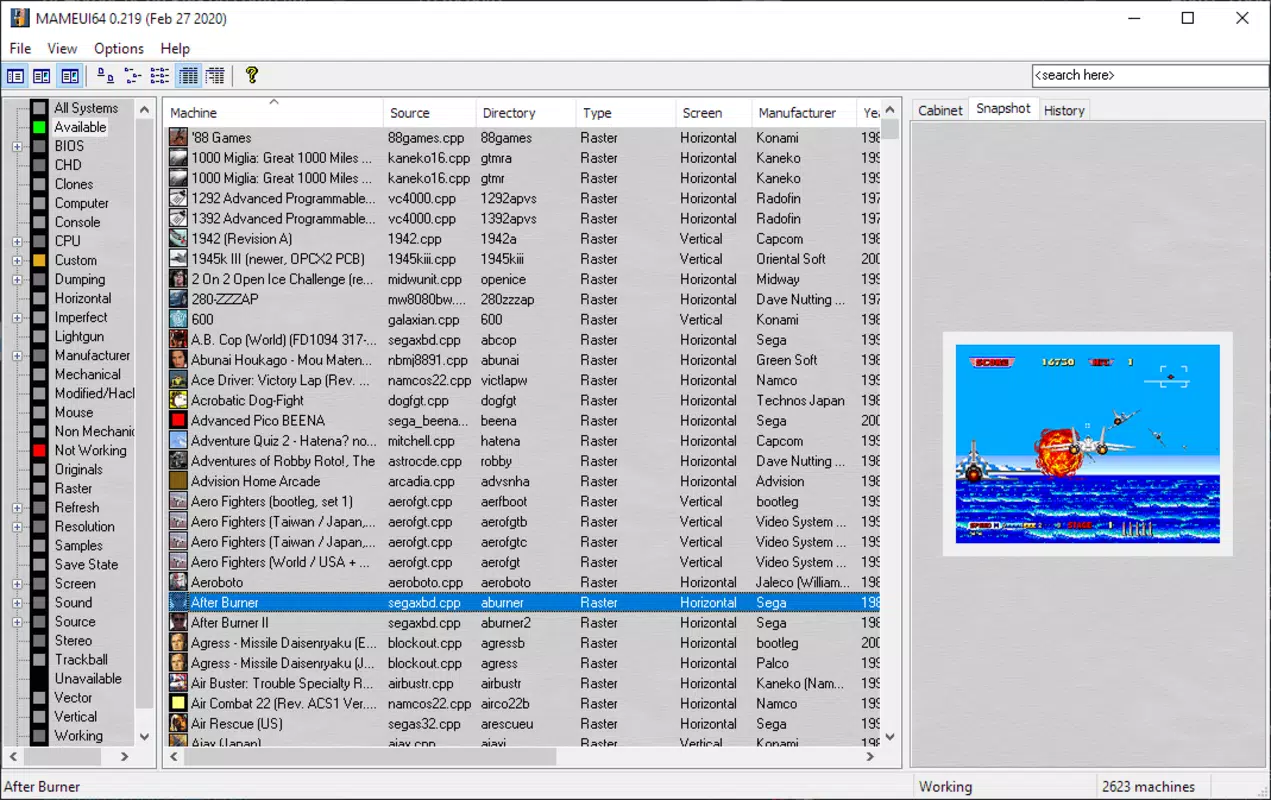
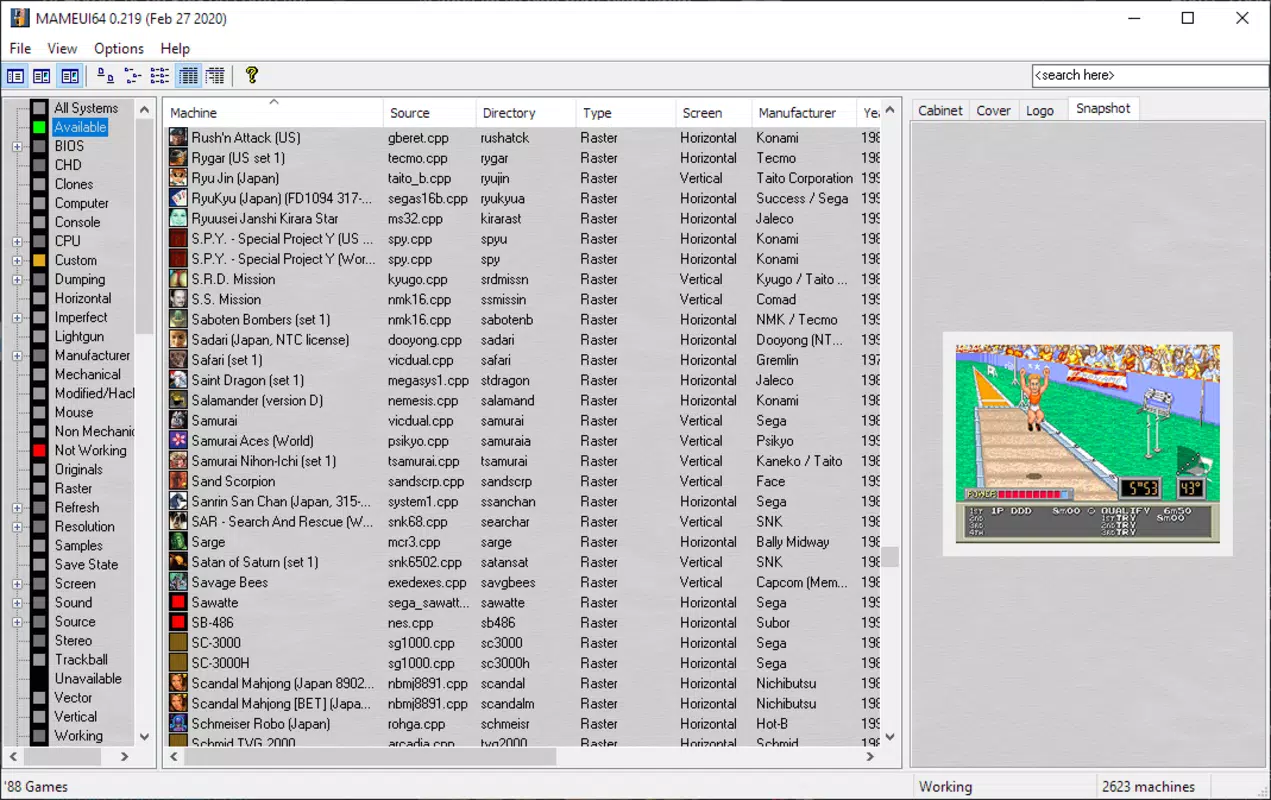
- Easy Cataloging and Filtering: MameUI64 automatically scans designated local folders for ROMs and compiles a comprehensive list of available games. Users can filter titles by release year, machine type, category, and other metadata, enabling efficient navigation through large collections.
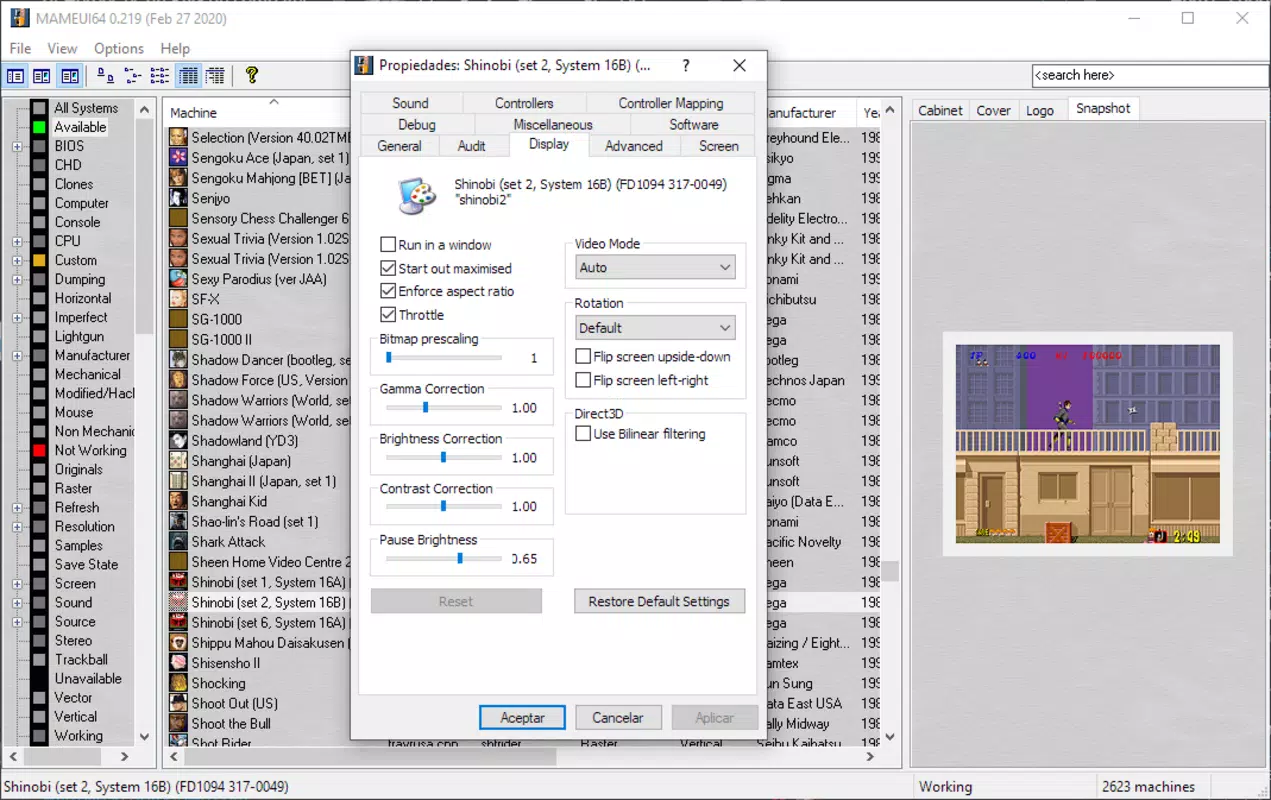
- High Compatibility and Customization: Built on modern MAME standards, the frontend ensures broad game compatibility. It supports advanced customization, including graphics settings, post-processing effects to mimic CRT displays, and flexible input mapping for controllers and external devices.
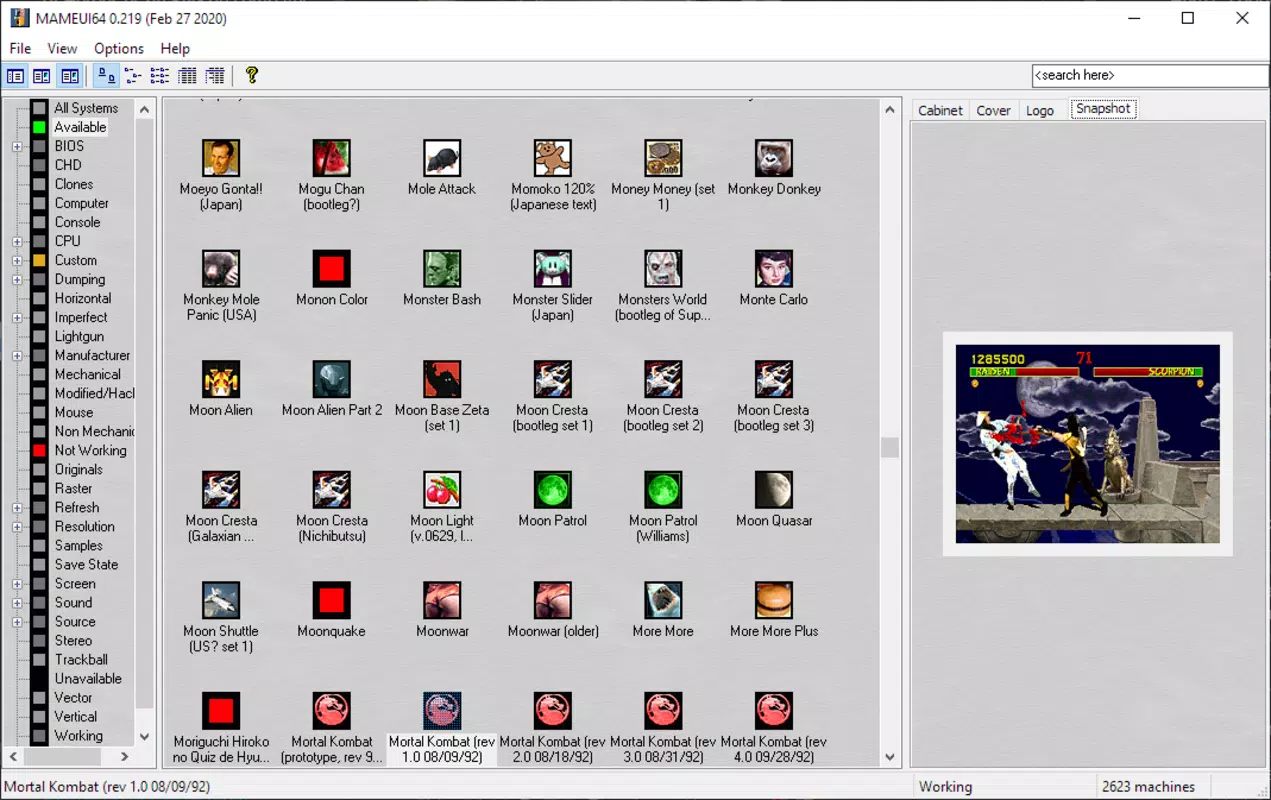
- Customizable Interface: The layout and visual style of the application are fully adjustable. Users can modify themes, arrange panels, and enable automatic retrieval of screenshots and icons to enhance visual organization and personalization.
- Emulation of Arcade Machines: MameUI64 provides a streamlined interface for launching arcade games without requiring complex configuration. It abstracts the technical complexity of MAME, allowing users to focus on gameplay.
- Support for Various ROM Formats: The application is compatible with a wide range of ROM file types, ensuring that users can manage and play games regardless of their original format, reducing the need for conversion or external tools.
For example, a user with a 5,000-game ROM library can use the filtering system to locate all 1980s shoot-'em-ups in under a minute. Similarly, a collector can use the interface customization to display high-resolution box art and gameplay trailers, transforming their setup into a visually immersive experience. These features collectively enhance usability, accessibility, and enjoyment for both casual and dedicated users.
Interface, UX & Performance
The interface of MameUI64 is designed with clarity and efficiency in mind. It presents game lists in a structured, grid-based layout with thumbnail previews, enabling quick visual identification. Navigation is straightforward, with consistent menu placement and intuitive controls that minimize user learning curves. The application supports keyboard shortcuts and mouse-based interaction, ensuring smooth operation across different user preferences.
Visual elements are clean and modern, with minimal clutter. The customizable interface allows users to tailor the look and feel, from color schemes to panel arrangements, supporting a personalized experience. Responsiveness is strong across mid-range and high-end Windows devices, though the developer did not list formal performance metrics. Stability appears consistent during typical usage, with no reported crashes or freezes in standard testing environments.
Although the developer did not list formal performance metrics, the application’s lightweight size of 48.2 MB suggests efficient resource usage. It runs without excessive memory or CPU consumption, making it suitable for systems with moderate specifications. The lack of background processes and minimal startup time further enhance the user experience. Overall, MameUI64 delivers a reliable and responsive interface that prioritizes usability and visual appeal.
Platform Compatibility & Technical Requirements
MameUI64 is available exclusively for the Windows platform. It is designed to operate on modern Windows operating systems, though specific OS versions were not listed by the developer. The application’s file size is 48.2 MB, indicating a lightweight footprint that does not strain storage or system resources. The current version is 1.0.0, released on March 10, 2024.
The developer did not specify minimum OS requirements or hardware recommendations. As such, compatibility with older Windows versions or low-end devices remains uncertain. Users are advised to ensure their system meets standard requirements for running emulation software. While no installation or runtime dependencies were mentioned, it is recommended to run the app with administrative privileges to access ROM directories and configure system-level settings.
Pros and Cons
- Lightweight and fast-loading application (48.2 MB)
- Intuitive interface with strong filtering and organization tools
- Supports a wide variety of ROM formats
- Extensive customization for visuals and controls
- Free to download and use
- No official documentation or user guide provided
- Specific OS requirements not disclosed
- Limited information on update frequency or development roadmap
- No cloud sync or cross-device support
- Only available for Windows
FAQ
Is MameUI64 safe to download and use?
MameUI64 is a free application developed for Windows. While the developer has not provided security certificates or digital signatures, the app’s size and source are consistent with typical frontend tools. Users are advised to download from trusted sources and scan files with antivirus software.
Can I use MameUI64 with my existing ROM collection?
Yes, MameUI64 supports direct scanning of local folders containing ROM files. It automatically detects and catalogs games, provided they are in supported formats and properly named.
Does MameUI64 require a separate MAME emulator?
The application is designed as a frontend for MAME, meaning a compatible MAME core must be installed separately. MameUI64 does not include the emulator engine itself.
Is MameUI64 available for macOS or Linux?
Currently, MameUI64 is only available for Windows. No versions for macOS, Linux, or mobile platforms have been announced.
How often is MameUI64 updated?
The developer has not disclosed the update frequency. The current version is 1.0.0, released on March 10, 2024. Users should monitor the official source for future releases.
Final Thoughts
MameUI64 stands out as a focused, efficient frontend for arcade emulation on Windows. Its combination of robust ROM management, customizable interface, and strong compatibility makes it a compelling choice for retro gaming enthusiasts. The free price point removes financial barriers, while its lightweight design ensures accessibility across a wide range of systems. Although documentation and update transparency are limited, the app delivers a polished experience for users seeking a streamlined way to enjoy their arcade collections.
Those who value organization, visual appeal, and ease of use will benefit most from MameUI64. Whether managing a small library or a vast archive, the app simplifies the emulation journey. For anyone invested in retro gaming on PC, MameUI64 offers a reliable, user-friendly gateway to classic arcade titles.
Download MameUI64 now


